In this Product Spotlight you'll learn how to further engage your strategic accounts and partners by adding elements of their branding to your boards. We also share how you can improve SEO and social post effectiveness by leveraging metadata and present some improvements to localization. Plus, our Head of UX/UI shares best practices for creating a well designed and engaging board.
Custom Themes for BuyEx 3.0:
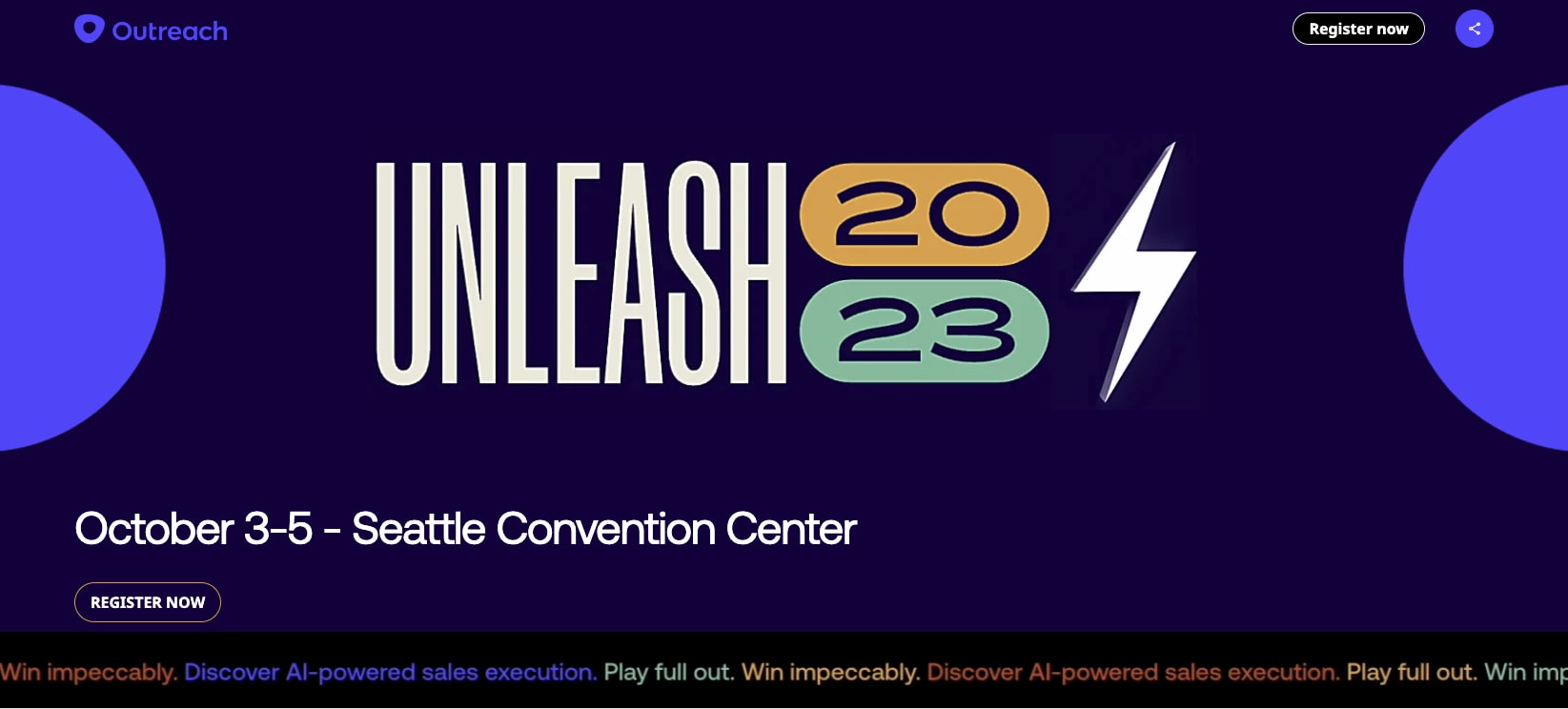
*A banner with customized buttons on an example Outreach+Folloze co-branded board.
Elevate your partnerships and 1-1 ABM initiatives with easy to implement co-branding via our new BuyEx 3.0 Custom Theme feature.
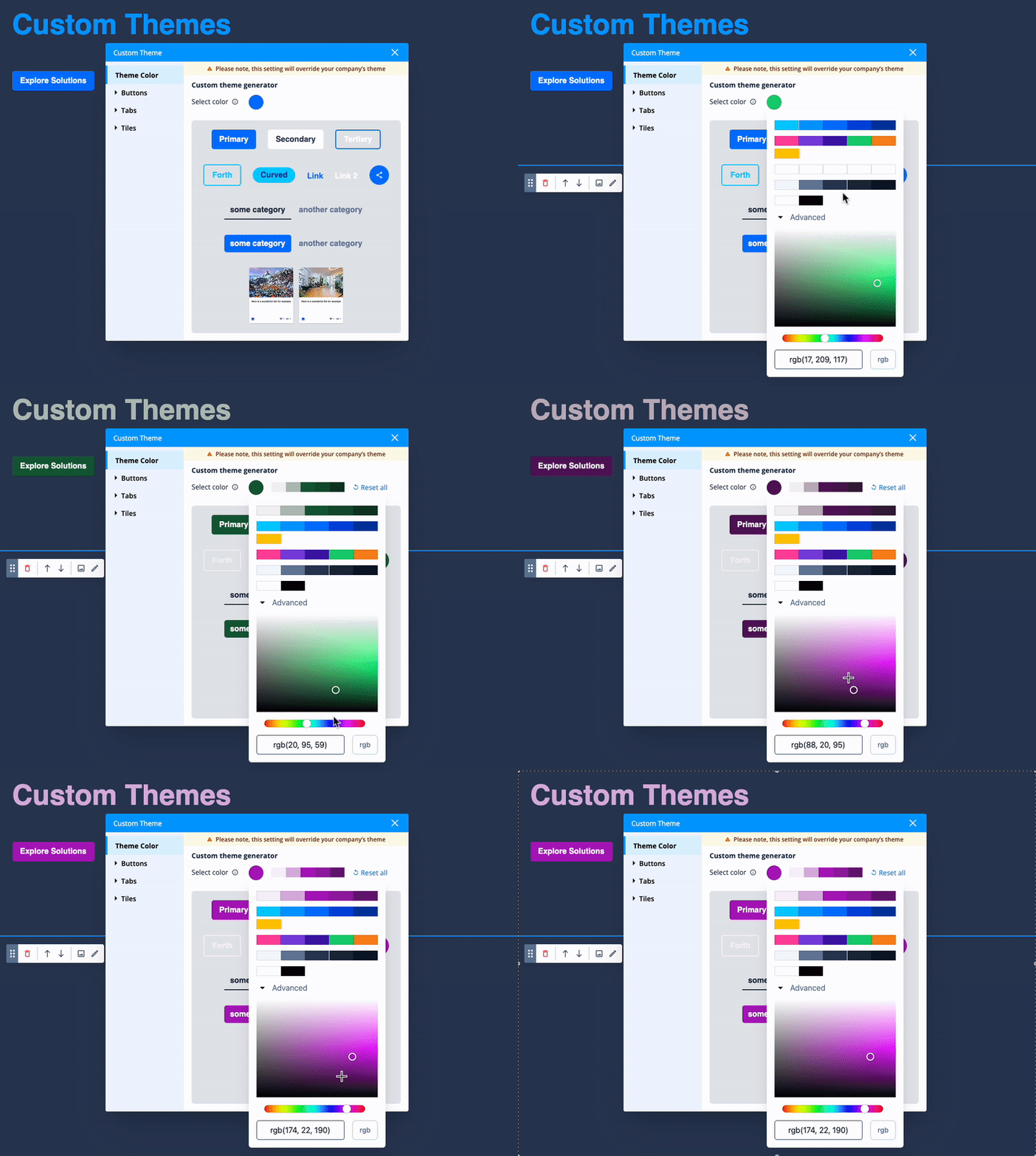
Adding a Custom Theme to a board allows marketers to supersede a BuyEx 3.0 board’s default color for buttons, tabs, and tiles. This grants you the exciting possibility of incorporating your target account’s (or partner’s) primary brand color! It can be as simple as picking a single RGB code or plugging it in.
*Quick Gif preview shown left.
Co-branding allows for a more individualized approach to board design and can help strengthen connections and foster lasting relationships. Use-cases that commonly utilize co-branding range from webinars and industry reports to sponsorships and exclusive offers. These strategic associations can also help you better position yourself as a trusted advisor and your brand as an industry leader.
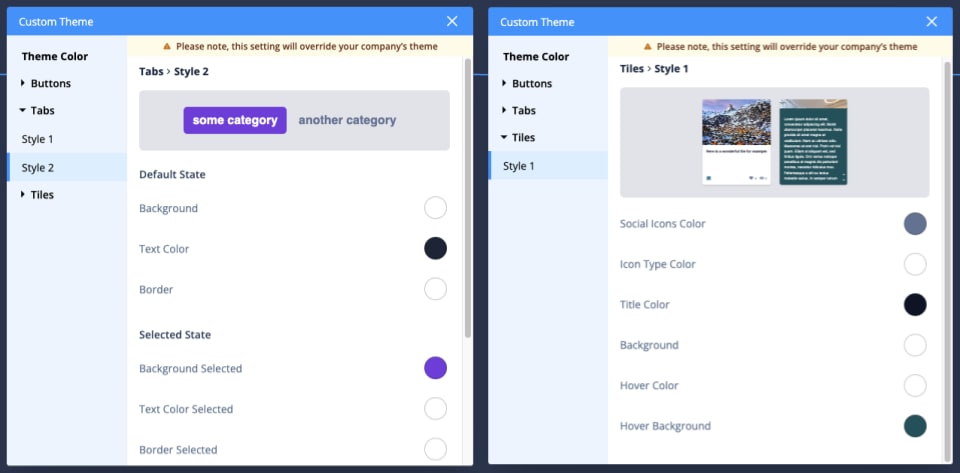
*Custom Theme editor details for category tabs (left) and content item tiles (right).
You can dig deeper into the Custom Theme tool and adjust the exact colors used on any of the 8 buttons, 2 tab styles, or content item tiles. This allows you to adjust what is auto-generated or even combine some aspects of your brand standards with those of your partners and/or target accounts.
Already building 1-1 ABM boards or have ideas for them? Speak with your Folloze Company Admin or Customer Success Manager to enable Custom Themes in your instance. Once the Custom Theme feature is enabled for your organization, it will become accessible via the designer. Read more here.
Metadata in BuyEx 3.0:
Metadata may sound technical, but it's a fundamental asset for modern marketers. It has a significant impact on both SEO and social media strategies. It’s essential for enhancing your board's visibility on search engines (when wanted). Optimizing metadata titles, descriptions, and images will help your board climb higher in search rankings and therefore garner more traffic so you can reach your target audience more effectively.
However, metadata's influence extends beyond just SEO. It also plays a crucial role in successful social posts. Thoughtfully crafted social metadata creates compelling previews that entice leads to engage with your social media posts and content. A well-optimized post with relevant metadata increases the chances of likes, shares, and clicks. Ultimately this can expand your brand's reach and impact even when you have niche targeting in place.
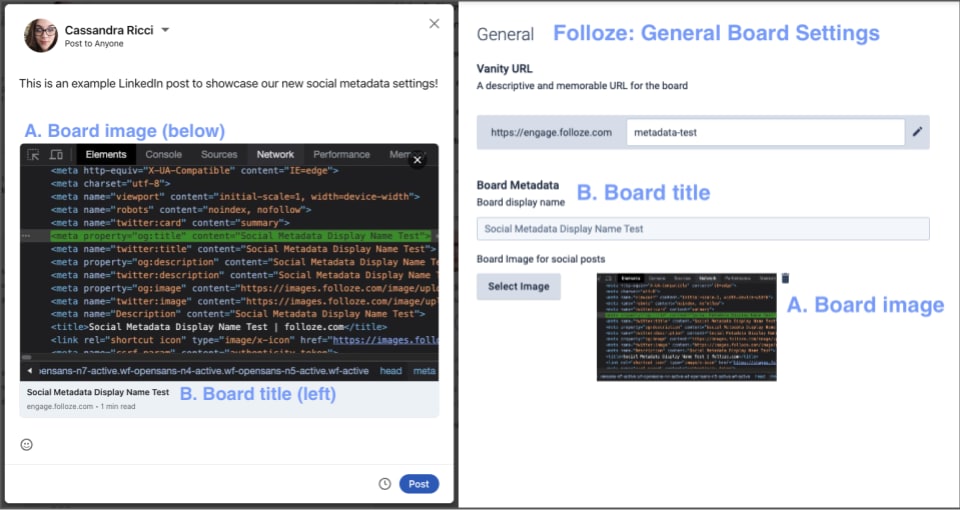
*A LinkedIn Post (left) & Folloze Board Settings (right) with image (A) and title (B).
Our new Board Metadata section for social media can be easily configurable via your board's general settings tab. You can set your your preferred thumbnail image as well as display name aka title with a few clicks. *Read more in this help center article.
Have inbound campaigns or resource centers that require SEO? Set any board’s metadata title and description in the “SEO” tab of that board’s Settings. Set and enable specific item’s metadata title and description via the “Metadata & SEO” tab on that specific item.
Design Tips & Tricks with Shay:
Regardless of use-case, incorporating thoughtful design principles can greatly enhance user engagement and conversion rates on your boards.
Our very own Shay Azura, Head of UX/UI at Folloze, recommends keeping the following in mind while building boards.
Consistency is Key: Maintain a consistent design across your board, from fonts and colors to spacing and layout. Consistency fosters a sense of professionalism, reliability, and familiarity. It makes it easier for board viewers to navigate and engage with your content. Design patterns guide visitors through content and can even influence where their attention is drawn. Opposingly, a lack of cohesiveness can distract viewers and even take away impact from your key value propositions.
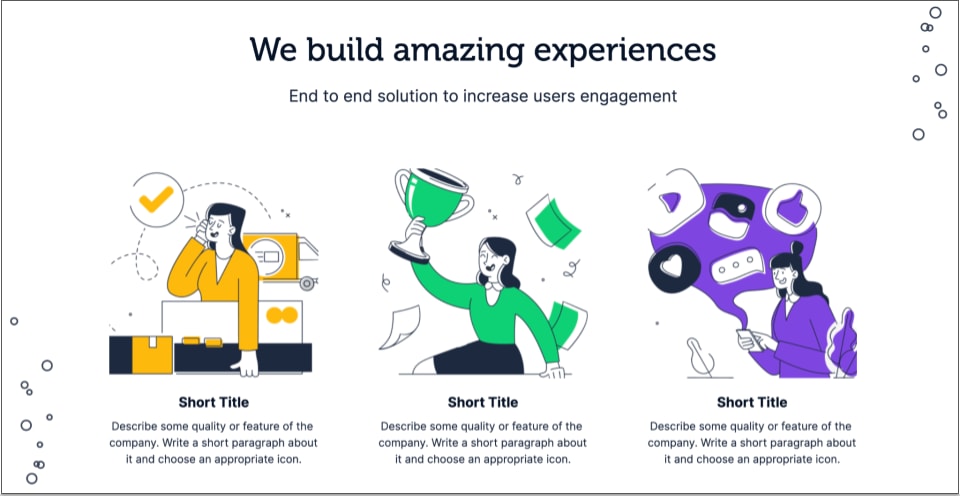
Maybe your text is always left aligned, maybe you only use illustrations and icons rather than photographs… Whatever your brand, you can create clean and effective design patterns in Folloze’s BuyEx 3.0 designer.
Only Use Quality Imagery: When using images, icons etc. on your board, ensure that they are high quality and relevant to both your brand/goal as well as to your viewers. Has your team optimized your organization’s Media Library yet?
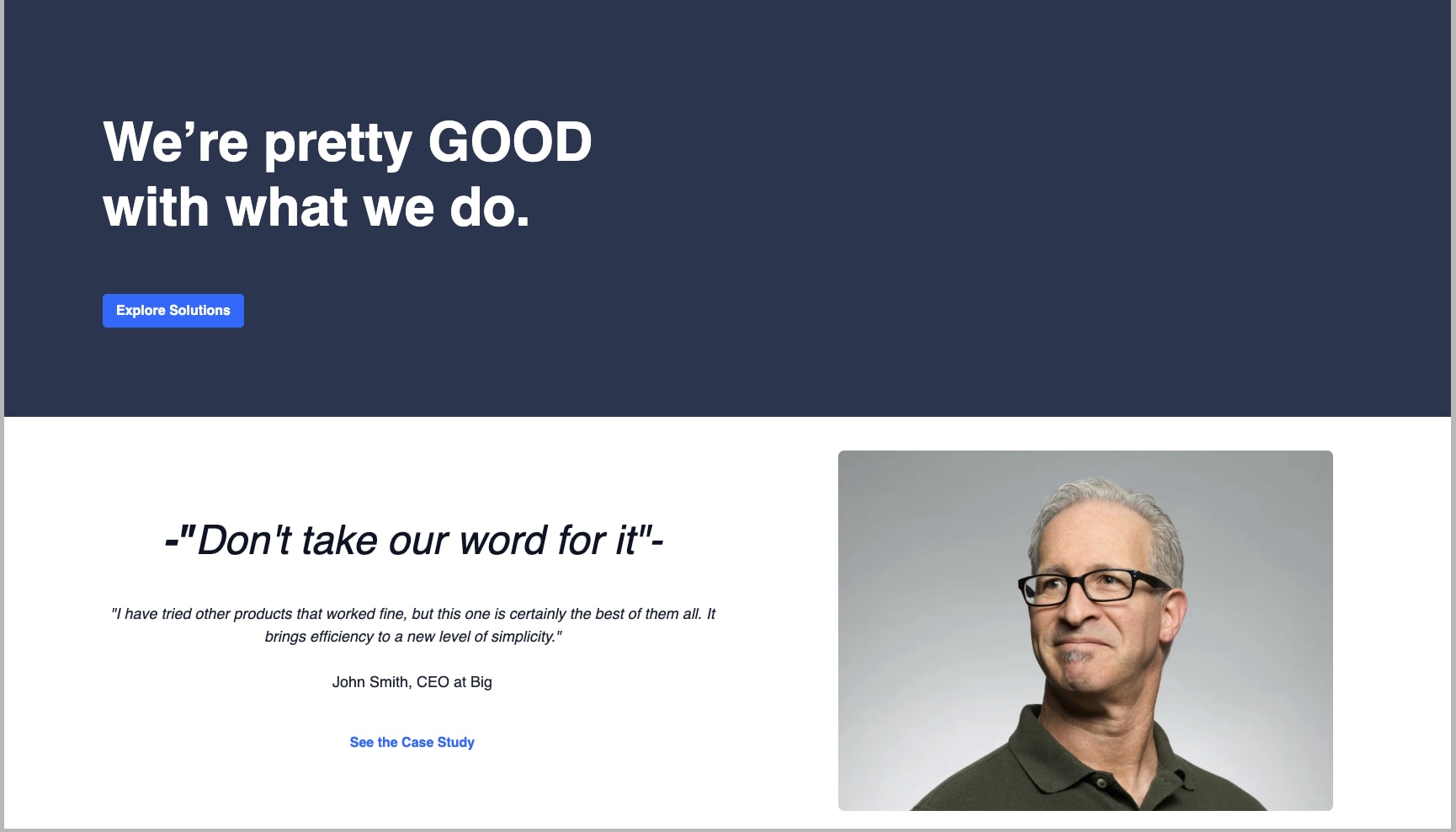
Strategically Place Images & Text:
Experiment with the placement of images and text to help guide your viewers. People tend to follow lines of sight even when looking at people in photographs or videos - use this natural tendency to direct attention toward important content.
For example if you use an image where someone is looking to the left, try placing a button to the left; viewers are more likely to view that button! Simple example shown above. Likewise, avoid using photos where individuals are looking off-page; you want to keep the viewer's eyes on your board. How you crop an image can impact the way in which leads view your board as a whole - not just the image itself.
Folloze utilizes fluid design principles which are responsive to different device sizes and screen resolutions. Keep this in mind when selecting and cropping banner images especially. Not sure how your board or banner will look on different screens? Our new, comprehensive help article has a quick sizing guide as well as examples showcasing exactly how banner images appear on various screen sizes.
Read Our New Image Size Guidelines.
Use Contrast for Visual Impact: To emphasize key messaging or CTAs, consider incorporating a pop of color on your board. This will direct focus to critical information. Combining contrasting colors and images can help you create visually engaging boards. Also, don't underestimate the power of whitespace (empty space) in your design. Clean and uncluttered layouts generally enhance readability and will allow attention to stay where you want it.
By leveraging consistent patterns and visuals, you can create an immersive storytelling experience that resonates with your audience and expertly highlights your key value propositions.
Localization in BuyEx 3.0:
In today's interconnected world, global marketing can be amplified by effective localization tools, this is doubly true for ABM initiatives. Personalization efforts can become even more powerful when they directly address the unique preferences of individual accounts through localized content in their preferred language and with consideration of cultural nuances.
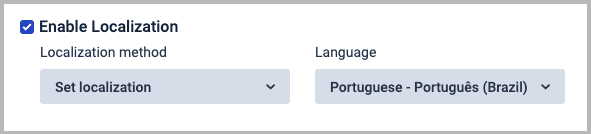
Folloze supports localization in over 15+ languages out of the box. Our localization impacts Folloze forms, password pages, and our entire 2FA process - all based on your localization setting at board level.
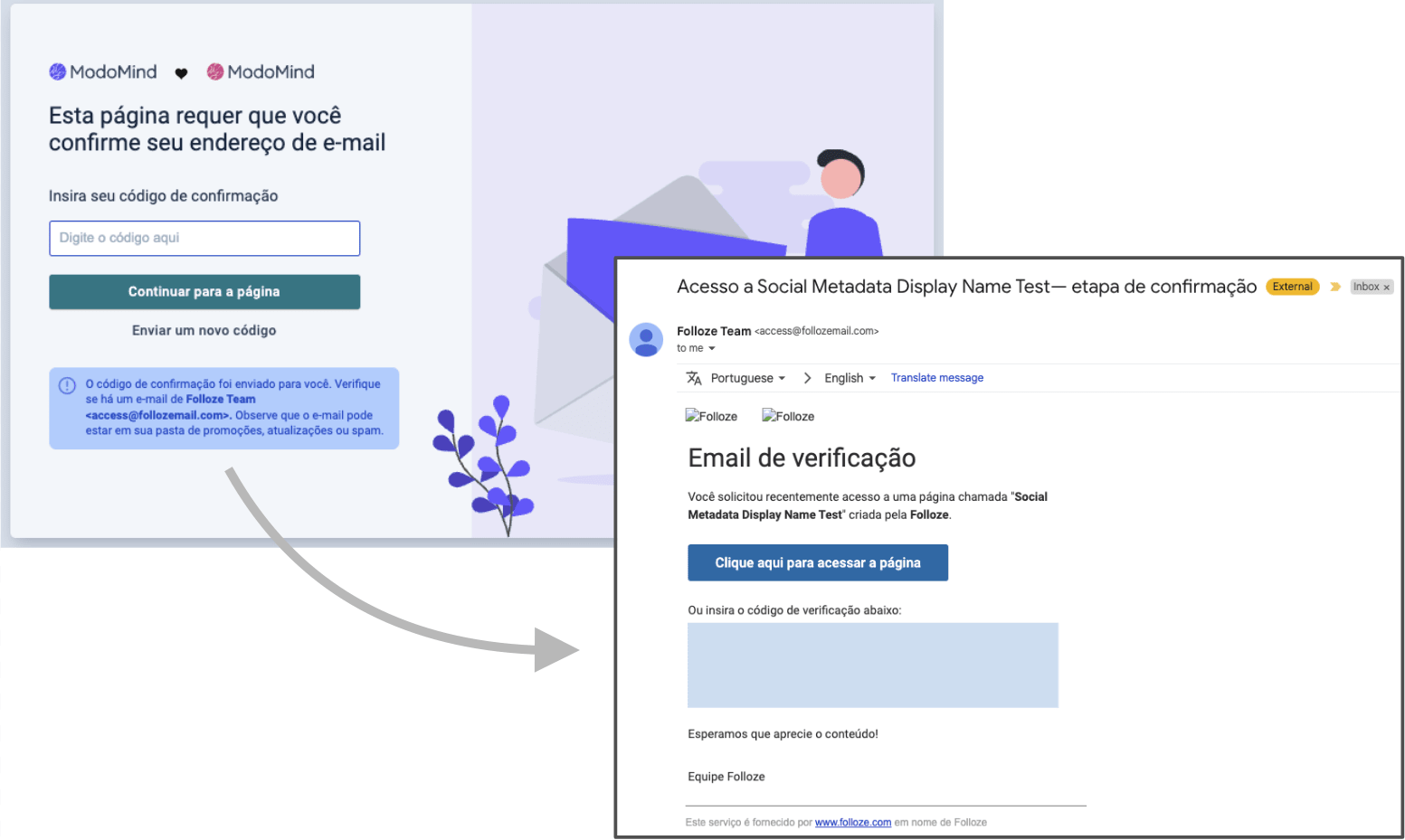
*A Portuguese 2FA Page upon requesting email (left) and the triggered 2FA email (right).
Implementing localization in your global strategies can increase your brand’s relevance, showcasing an understanding of local markets and a commitment to each account's success. It nurtures lasting customer relationships by building trust and credibility.
Have an international use-case? Don’t forget to leverage localization; read more here.
What’s Next?
Keep an eye out for new BuyEx 3.0 section designs and functionality in the coming weeks!
As always, thanks for reading!
The Folloze Product Spotlight includes updates on our latest product enhancements and best practices. Feel free to reach out to us with questions or feedback at product@folloze.com.