![[Article] Folloze + 6sense Connector Overview](https://images.folloze.com/image/upload/c_lfill,w_486/c_limit,h_1800,w_1800/f_auto/q_auto/e_sharpen/v1677606495/xrhbpzw90t3kflwfkjea.jpg)
Set up and user guide
Overview
Folloze and 6sense announced a technology partnership to enable data exchange between the two platforms to execute a complete account engagement strategy: from data, intent and prediction to orchestration, personalized experience and engagement analytics. This connector was designed for joint customers to enhance their ability to drive intelligent buyer journeys at scale and has a “turnkey” activation.
Benefits
Here are some of the benefits of the Integration:
- Architect targeted, engaging buyer journeys in minutes - powered by 6sense, Folloze will identify target accounts in real-time and dynamically personalize buyer journeys based upon intent, buying stage or channel. That means only minutes, instead of weeks, spent planning and launching omni-channel campaigns that produce deep account engagement and insights.
- Harness the power of "all-bound" account identification and intent data - 6sense’s industry-leading account identification capabilities combined with Folloze’s unique identity model creates digital destinations that are optimized for any mix of inbound and outbound channels. Add buying stage and intent data to the mix to deliver contextual, adaptive buyer experiences that help guide buyers through each stage of their journey.
- Close to loop to get deep account engagements insights for strategic planning - leverage Folloze extensive engagement analytics to inform account engagement decisions and gauge level of engagement key buying team members engagement and key asset and topics of intent
- Fast integration, faster time to value - leveraging the turnkey integration, it takes less than a minute to connect both Folloze and 6sense. Simply share your 6sense API key with Folloze and start building better buyer journeys today.
Integration points
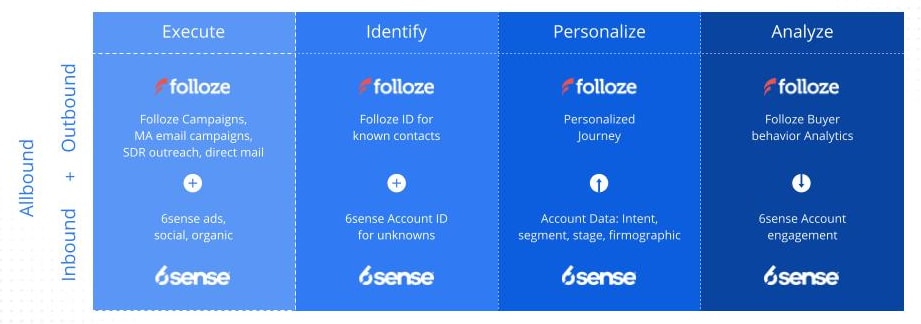
See this framework describing the integration touch points
Set up and activation
Here are the steps to set up and leverage the connector:
Step 1: activate the connector
- Prerequisite: admin access to Folloze and access to 6sense API key
- Open the Folloze admin screen and navigate to Integrations/Data Services/6sense
- Enter the 6sense API key and press on validate
- After the key is validated, press on save

Step 2: Identify & Enrich: use 6sense to identify unknown leads and retrieve account data
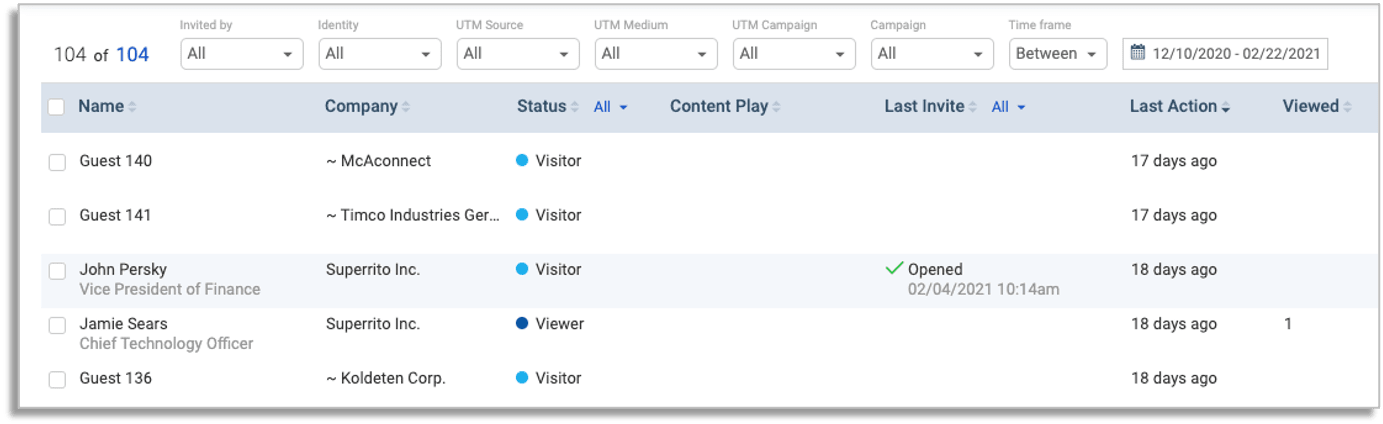
Folloze is leveraging the integration with 6sense to identify unknown leads. A typical flow is when a lead visits a folloze board, a Folloze ID is called and if the lead is determined to be unknown, the 6sense Identification service is called. Based on the match, Folloze will associate this lead to the account.
In addition to that, when known or unknown (associated to an account), Folloze will retrieve the account data for reporting and personalization purposes.
To learn more about account matching, read this blog from 6sense.
Step 3: Personalize: Leveraging 6sense data for personalization
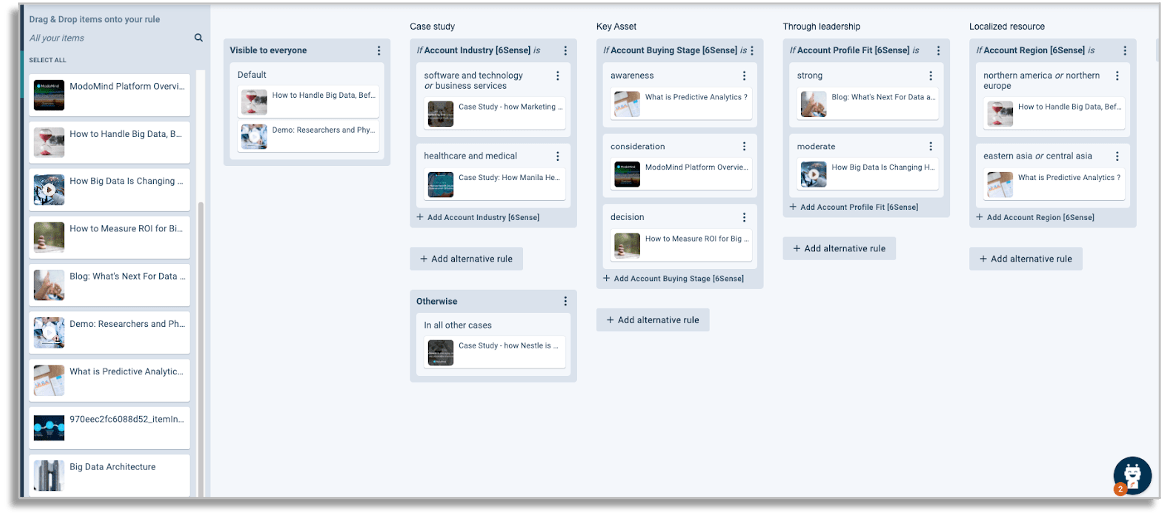
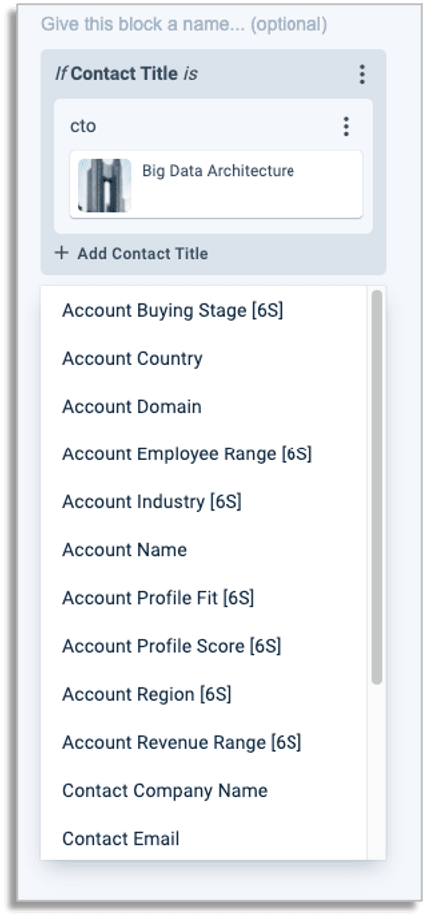
When the Folloze-6sense connector is activated, the 6sense account data is made available within Folloze personalization studio. This means that folloze users can easily create personalization rules based on the set of fields defined in the 6sense dictionary.
Please find the list of 6sense fields below:
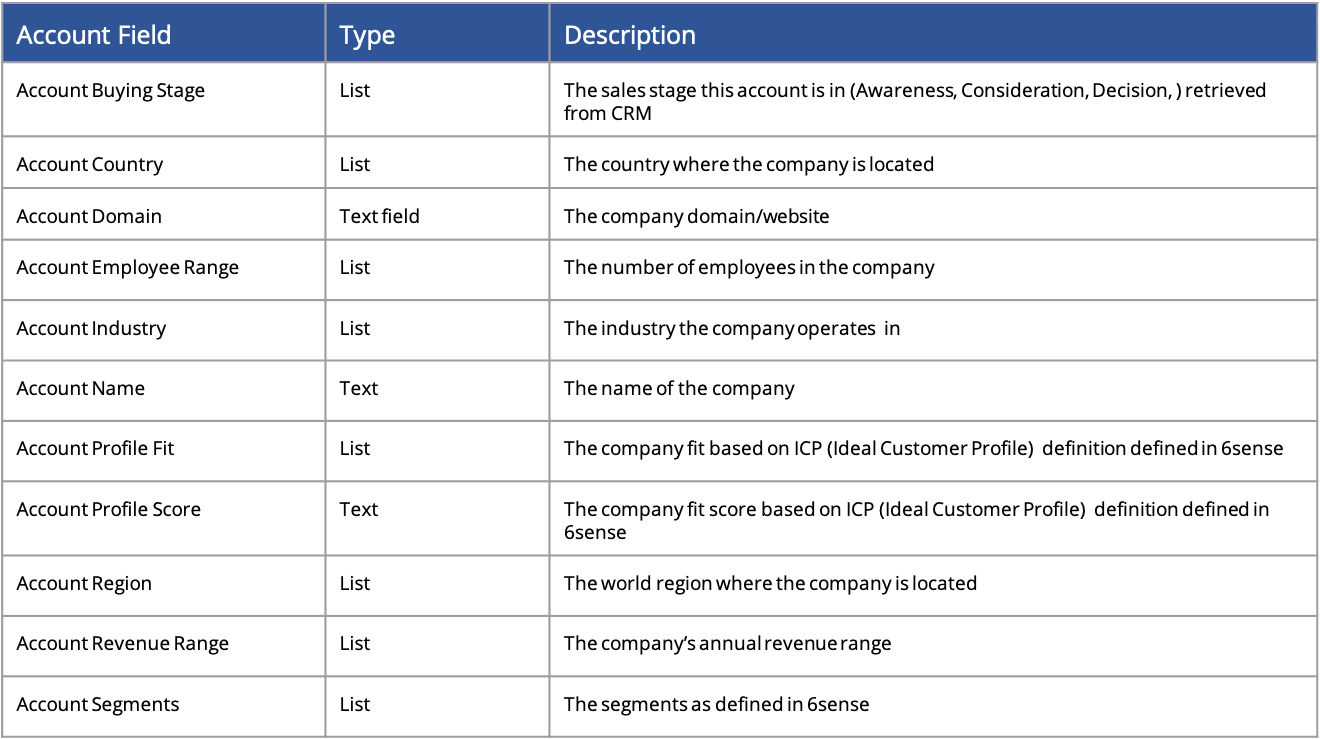
These fields will be available for creating personalized rules for the different board design elements such messaging, creative elements, logos, call-to-actions, promoted content and the content. For more information on the Folloze personalization studio.
See example of the personalization studio below:
Personalization for 6sense segments
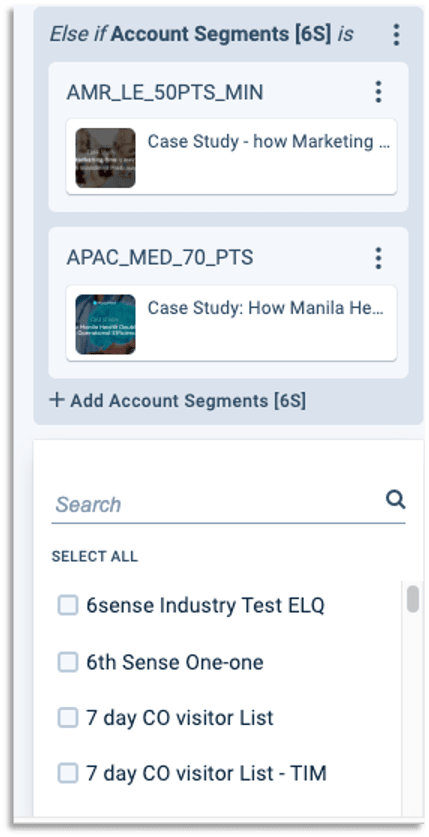
6sense offers data segmentation that allows to create dynamic segments based on a variety of data elements (such as stage of deal, intent, industry). These segments can be used for personalization so that Folloze personalization rules can be created specifically for a segment.
Customers can map to 6sense segments directly from the Folloze Personalization Studio (see example below). This allows to deliver highly targeted experience to an account dynamically, as the account becomes part of a segment, or moves between segments.
For example, customer can define a segment to run an Ad campaign for, then leverage a Folloze board as the Ad destination and configure segments specific experience.
Step 4: Analyze: track customer engagement
You can use the Folloze account dashboard and pulse table to track activity. In addition, With the connector, customers can track deep engagement in the Folloze analytics as well as get insights in the 6Sense.
To enable tracking from Folloze boards to 6sense, it is recommended to place the 6sense script tag.
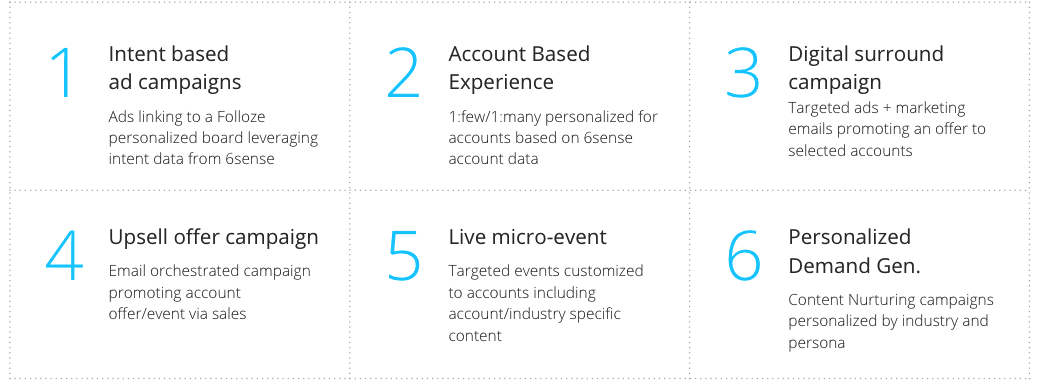
Use cases:
Folloze integration with 6sense can power variety of use cases, both inbound, outbound an allbound, see the examples below:
For more information, contact support@folloze.com