Folloze Marketo Connector 1.5 Best Practices
Folloze Marketo Connector 1.5 best practices
Overview:
Folloze Marketo connector provides the ability to report to Marketo a range of activities
and statuses performed by prospects. For more information, refer to the Folloze Marketo
Connector set up guide.
This document provides some best practices on how to leverage the data from Folloze to
initiate and trigger Marketo programs, smart lists, interesting moments and more.
Interesting Moments
Goal: to create interesting moments based on Folloze activities. In this example, we will
show how to push the Folloze Item view as an interesting moment.
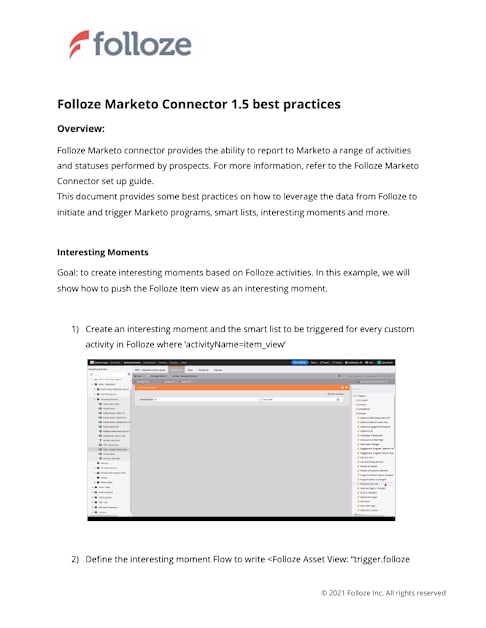
1) Create an interesting moment and the smart list to be triggered for every custom
activity in Folloze where ‘activityName=item_view’
2) Define the interesting moment Flow to write <Folloze Asset View:
© 2021 Folloze Inc. All rights reserved
Page 2
“{{trigger.follozeAssetName}}”>. The trigger.folloze AssetName token provides the
name of the item (for example: Whitepaper on cyber security threat in healthcare).
Save this name interesting moment
3) When a new item_view activity takes place, an interesting moment will be generated
and presented in Salesforce
© 2021 Folloze Inc. All rights reserved
Page 3
Other tokens of the Folloze custom activities :
** Please note that this functionality (token for customer events is not fully documented by
marketo
© 2021 Folloze Inc. All rights reserved
Field Name Explanation Token Example
activityName (primary)
type of action performed by lead
{{trigger.Activity name}} board_view
activityTrackingLink link to the pulse table in Folloze with the entire set of activities of the lead
{{trigger.activityTrackingLink}} https://app.folloze.com/app/ prism/100002/pulse/179223 2
follozeActivityType type of action performed by lead
{{trigger.follozeActivityType}} board_view
follozeActivityData data related to activity performed
{{trigger.follozeActivityData}} Item_view will present Item ID
follozeBoardId ID of the board that the lead interacted with
{{trigger.follozeBoardId}} 748854
follozeSellerName the email of the sender that invited the lead, if exists
{{trigger.follozeSellerName}} laurie@equitier.com
follozeAssetName the associated name of the asset used
{{trigger.follozeAssetName}} Item_View -> Item Name, Board_view-> board name, Click_action-> Button label, gated_form -> Item name